Advanced Use Cases
Advanced patterns for optimizing extraction costs, profile filtering, manual extraction, and A/B testing in Reflexio.
Advanced Use Cases
Enterprise Feature
This guide covers advanced patterns and strategies for optimizing Reflexio in production environments. These techniques help you fine-tune extraction costs, improve profile relevance, and experiment with different configurations safely.
Optimizing Extraction Cost vs. Effectiveness
Reflexio uses a sliding window strategy to balance extraction quality against operational costs. Two key parameters control this behavior:
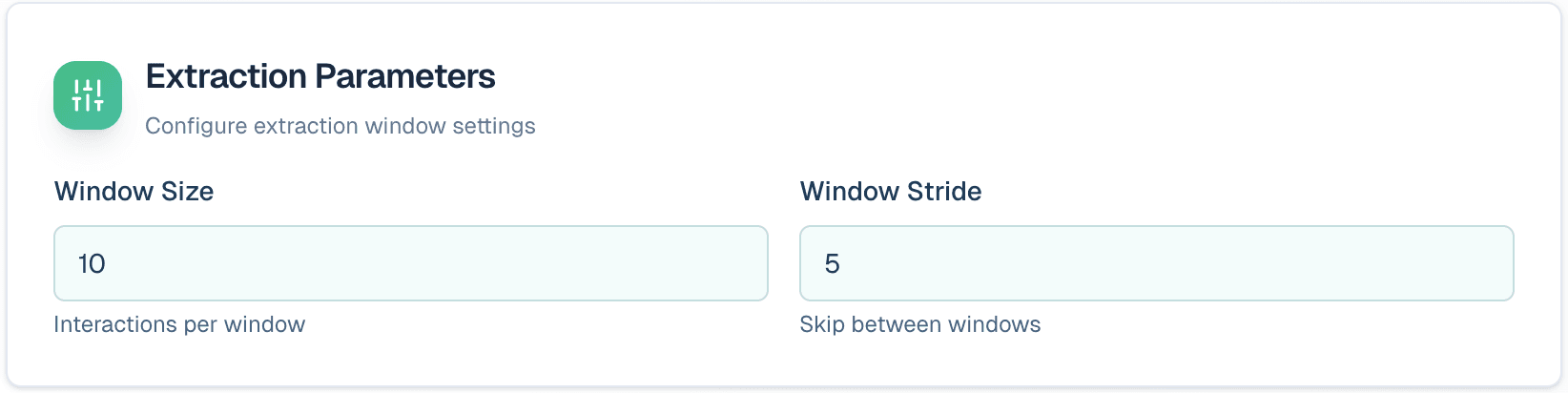
Window Size
Controls how many past interactions are included in a single extraction run. If the window size is 10, last 10 interactions from the user will be included, which could span over multiple requests and sessions.
| Setting | Effect |
|---|---|
| Larger window | More context available, higher cost per extraction |
| Smaller window | Less context, lower cost per extraction |
When to increase window size:
- Context continuity is critical for accurate extraction
- Interactions are short and need surrounding context
- Profile quality is prioritized over cost
Stride Size
Controls how frequently extraction runs.
| Setting | Effect |
|---|---|
| Larger stride | Less frequent extractions, lower overall cost |
| Smaller stride | More frequent updates, profiles stay current |
When to increase stride:
- Optimizing for cost or latency
- User behavior changes slowly
- Real-time profile updates are not critical
Finding the Right Balance
Start with moderate values and adjust based on your profile quality metrics. Monitor extraction costs alongside profile accuracy to find the optimal trade-off for your use case.
Searching and Filtering Profiles
By default, profile queries return all matching results. For more targeted access, Reflexio supports filtered and ranked queries.
Available Filters
Similarity Threshold
Filter out irrelevant profiles by requiring a minimum similarity score. This ensures only highly relevant profiles are returned.
Recency
Retrieve only the most recently updated profiles. Useful when user preferences change frequently and older data becomes stale.
Source Filtering
Limit results to profiles extracted from specific sources. This enables multi-tenant or multi-application segmentation.
Example Scenarios
| Scenario | Recommended Filter |
|---|---|
| Fetch current user preferences | Recency filter |
| Exclude low-confidence matches | Similarity threshold |
| Segment by application or tenant | Source filtering |
| Combine multiple criteria | Chain filters together |
API Examples
from reflexio import ReflexioClient

client = ReflexioClient()  # uses REFLEXIO_API_KEY env var

# search top 5 profile from only "restaurant_booking" source, for the last 14 days, similarity score > 0.75
response = client.search_user_profiles(
    user_id="user_123",
    query="dietary preferences",
    source="restaurant_booking",
    start_time=datetime.now() - timedelta(days=14),
    threshold=0.75,
    top_k=5
)
Working Memory via Manual Extraction
For short-term context continuity, Reflexio can function as a working memory layer. This pattern gives you precise control over when memory is created.
Pattern Overview
- Use manual extraction to control exactly when profiles are created
- Extract profiles only after a conversation is complete
- Avoid automatic extraction for every interaction
Recommended Setup
-
Configure the profile extractor:
- Toggle the extractor setting from Auto (default) to Manual, so it will only be triggered explicitly
- Make sure context window is large enough to capture most of the conversations
-
During the conversation:
- Publish interactions without triggering extraction
- Interactions accumulate in the system
-
After conversation ends:
- Manually trigger profile extraction using the client API
- The extractor processes all accumulated interactions at once
API Examples
from reflexio import ReflexioClient

client = ReflexioClient()  # uses REFLEXIO_API_KEY env var

# Trigger manual profile generation for a specific user
# Uses window-sized interactions from config, outputs CURRENT status directly
client.manual_profile_generation(user_id="user_123")

# Filter by source to only run extractors for specific interaction sources
client.manual_profile_generation(user_id="user_123", source="chat")

# Run only specific extractors by name
client.manual_profile_generation(
    user_id="user_123",
    extractor_names=["preferences"]
)

# Trigger manual playbook generation for a specific agent version
client.manual_playbook_generation(agent_version="v2.1.0")

# Run for specific playbook type only
client.manual_playbook_generation(
    agent_version="v2.1.0",
    playbook_name="response_quality"
)
Prerequisites
- Extractors must have
allow_manual_trigger=Truein their configuration to be included window_sizemust be configured to determine how many interactions to process
Use Case
This pattern is ideal for chat applications where you want to extract insights from complete conversations rather than individual messages.
Per-Source Extraction Strategies
Each interaction can be associated with a source, and extractors can be configured to operate on specific sources. This enables sophisticated multi-tenant architectures.
Source-Specific Extraction
Create separate extraction configurations for different sources when each requires unique handling.
Example: Restaurant Booking Agent
A booking agent serving multiple restaurants can treat each restaurant as a separate source:
| Source | Extracted Data |
|---|---|
| Restaurant A | Customer preferences, dietary restrictions, seating preferences |
| Restaurant B | Reservation history, special occasions, loyalty status |
| Restaurant C | Menu preferences, service feedback |
Each source can have its own:
- Extraction prompts tailored to that restaurant's needs
- Configuration settings optimized for their data patterns
- LLM model selection based on complexity requirements
Cross-Source Extraction
Set source = None on an extractor to extract across all sources for the same user.
Use cases for cross-source extraction:
- Persistent user preferences that apply everywhere
- Cross-application behavioral patterns
- Unified customer profiles across multiple tenants
Combining Strategies
You can use both source-specific and cross-source extractors simultaneously. Source-specific extractors capture context-dependent information, while cross-source extractors maintain a unified user profile.
Experimenting with Extractor Settings
Reflexio supports safe experimentation through a state-based workflow: pending, archived, and promoted states.
Profile Extractor Experiments
Test different configurations without affecting production data:
What you can experiment with:
- Extraction prompts
- Configuration settings (window size, stride, etc.)
- LLM models
Experiment workflow:
-
Create experimental profiles — Re-run extraction with new settings
- Target specific: source, extractor, user, and/or time range
- All experimental results are stored as pending
-
Validate results
- Manual inspection of pending profiles
- Shadow requests to compare against production
-
Promote or discard
- Promote validated profiles to production
- Discard unsuccessful experiments
Playbook Extractor Experiments
Fine-tune playbook generation with a similar workflow:
| Action | Description |
|---|---|
| Re-run extraction | Test different user playbook generation settings |
| Upgrade pending | Move validated playbook entries to current state |
| Archive previous | Old playbook entries are preserved, not deleted |
| Manual upload | Support for manually curated playbook entries |
Clustering experiments:
- Adjust clustering hyperparameters
- Re-run aggregation to see impact
- Optionally target a single
playbook_namefor focused testing
Evaluation and Shadow Comparison
Define success criteria and let Reflexio automatically evaluate outcomes. This enables data-driven optimization of your agent's performance.
Request Success Evaluation
Each request can be evaluated against predefined success criteria:
- Success — Request met the defined criteria
- Failure — Request did not meet criteria
Use these evaluations to track agent performance over time and identify areas for improvement.
Shadow Comparison (A/B Testing)
Compare different response strategies using shadow responses:
How it works:
- Each interaction includes both a regular response and a shadow response
- Reflexio compares both responses against success criteria
- Results are categorized as: win, loss, or tie
Aggregate metrics:
- Calculate win rate for quantitative comparison
- Track performance trends over time
- Make data-driven decisions about which approach to promote
Effective Shadow Testing
Run shadow comparisons for a statistically significant sample size before making decisions. Consider segmenting results by user type, source, or time period for deeper insights.