

Dashboard
Browse sessions, inspect user profiles, and edit project playbook rules from the claude-smart web UI.
claude-smart ships with a local Next.js dashboard that runs alongside the Reflexio backend. It's a read/write view into everything the plugin has captured: session transcripts, profiles, playbook rules, and provider configuration.
The dashboard auto-starts on SessionStart. Once Claude Code is running, open:
http://localhost:3001
If the dashboard isn't reachable, run /restart inside Claude Code or check ~/.claude-smart/backend.log.
Pages
Profiles
Inspect the user profile entries claude-smart has extracted for each session. Profiles are session-scoped — they apply to the current conversation and are reinjected if you resume that session via /resume, /clear, or /compact.
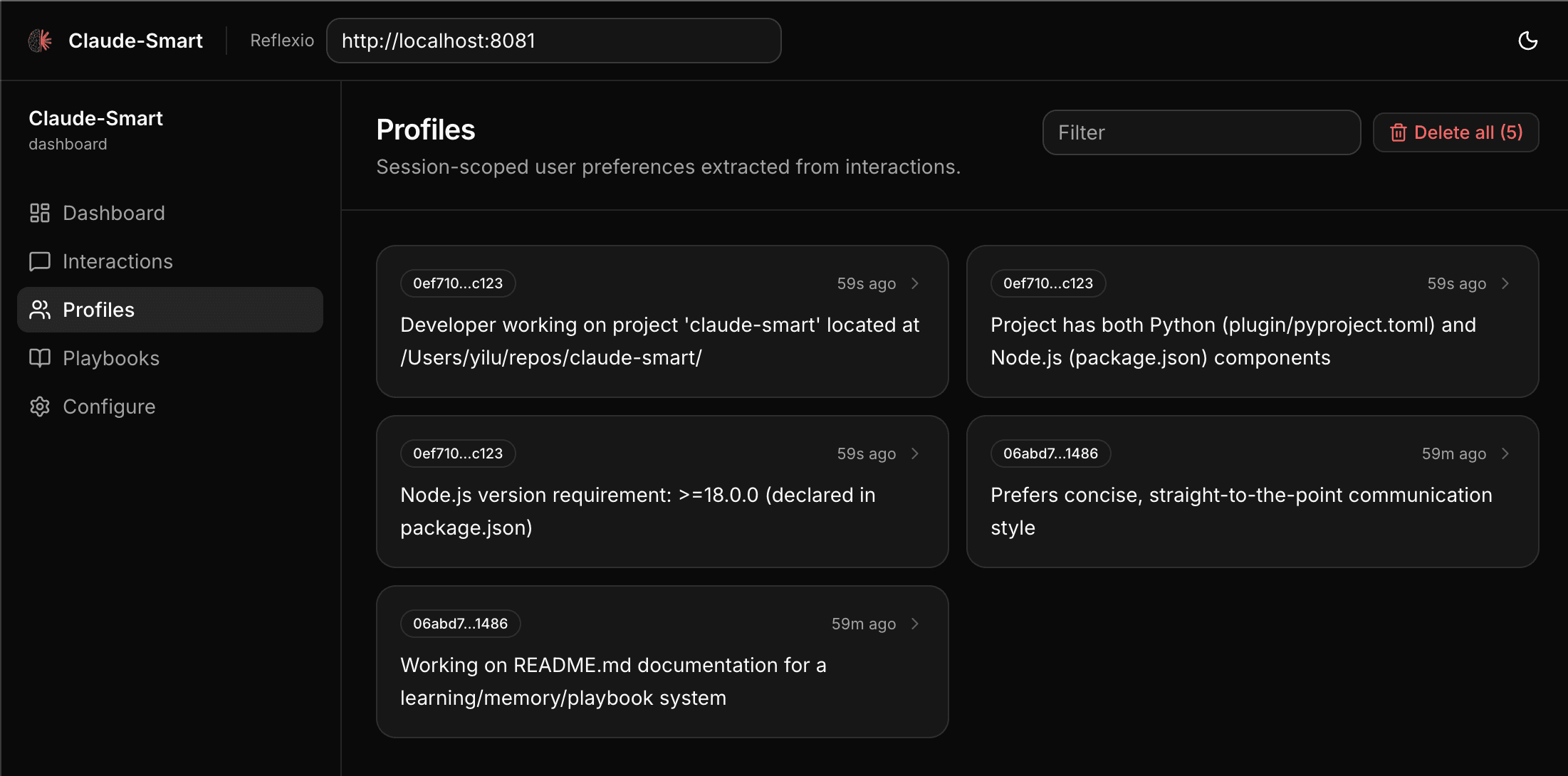
Each entry shows the profile field, the inferred value, and the interaction that produced it. This is where to look for answers like "why is Claude assuming I use pnpm?"
Playbooks
Browse and edit the project playbook. Playbook rules are cross-session and project-wide — every session in the same Git repo sees the accumulated playbook.
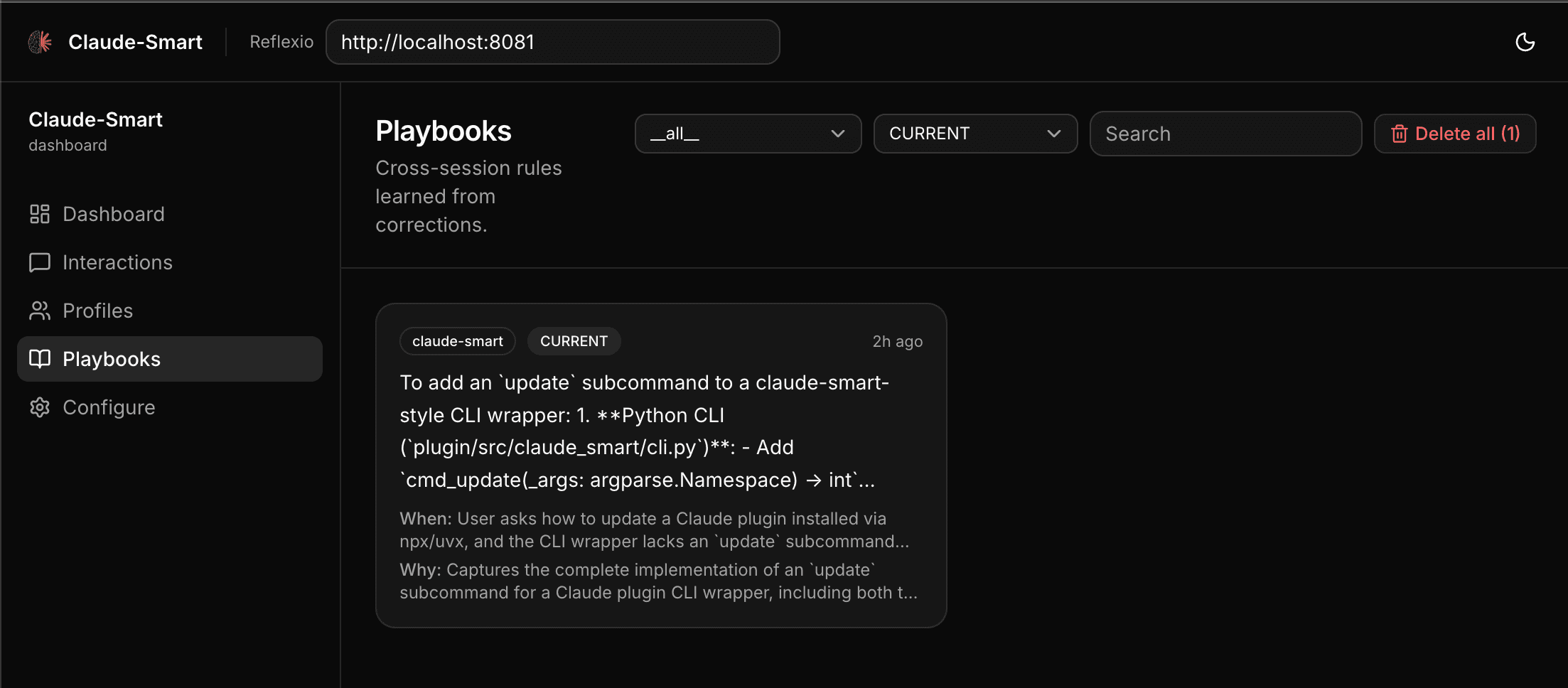
From this page you can:
- Read each rule with its trigger condition and justification.
- Delete rules you no longer want enforced.
- See which rules are
CURRENTversusARCHIVEDas they evolve.
Interactions
Scroll through every session's JSONL buffer — user turns, assistant turns, and tool invocations — joined into a readable timeline. Useful for debugging: if a correction didn't produce a rule, this is where you confirm the hook actually received the turn.
Configure
Edit ~/.reflexio/.env from the browser. The form preserves unknown keys (including any secrets) and exposes the toggles most users need:
CLAUDE_SMART_USE_LOCAL_CLICLAUDE_SMART_USE_LOCAL_EMBEDDINGCLAUDE_SMART_BACKEND_AUTOSTART/CLAUDE_SMART_DASHBOARD_AUTOSTARTREFLEXIO_URL(for pointing at a remote backend)
The Reflexio server tab also exposes backend-owned settings, including the search reranker toggle for cross-encoder relevance filtering. claude-smart's bundled OSS backend disables the reranker service globally to avoid loading the model; the toggle only has an effect when the dashboard points at a Reflexio deployment whose reranker feature is enabled.
After saving, run /restart inside Claude Code to pick up the changes.
Controlling Auto-Start
The dashboard is spawned by the SessionStart hook. To disable it, set in ~/.reflexio/.env:
CLAUDE_SMART_DASHBOARD_AUTOSTART=0The backend has its own toggle:
CLAUDE_SMART_BACKEND_AUTOSTART=0See Configuration for the full environment reference.