

Hosted Enterprise Portal
Inspect learning, review playbooks, answer agent questions, and configure Hosted Enterprise.
Hosted Enterprise
The portal is the operating surface for inspecting what Reflexio received, what it learned, and which agent-wide rules are approved for use.
Recommended Review Order
When validating a new integration, follow the data flow:
- Interactions — confirm the complete turn, user, source, session, and agent version arrived.
- Profiles — inspect durable user memory extracted from that evidence.
- Playbooks — inspect user-specific guidance and review aggregated agent rules.
- Evaluation — compare outcomes after enough sessions have accumulated.
The Dashboard provides summary counts, but these detail pages are more useful for diagnosing a first integration.
Interactions
Use the Interactions page to inspect published records and search by content, user, request, source, or time. Expand a row to verify the exact role sequence and metadata.
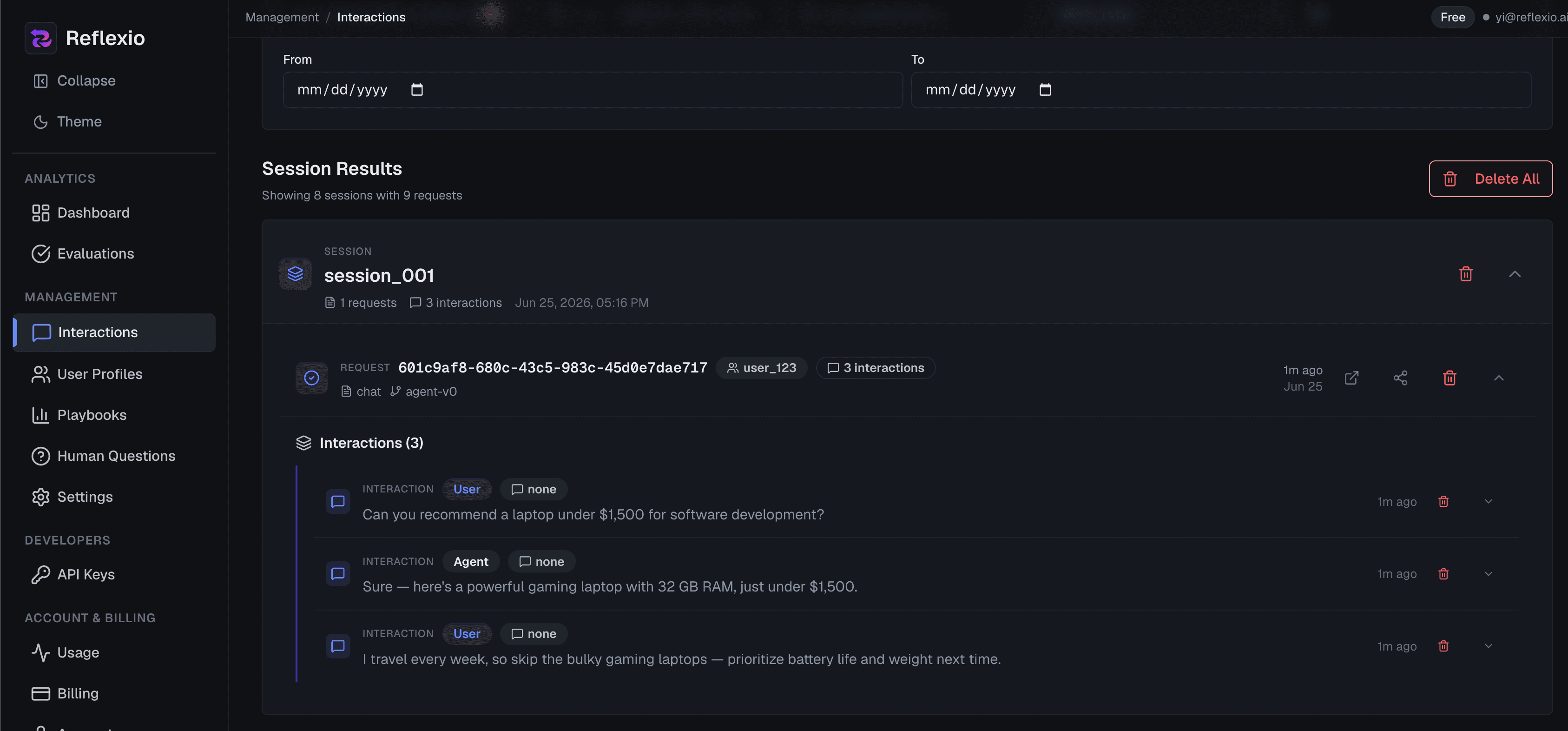
If an expected profile or playbook is missing, start here: incomplete feedback, inconsistent session IDs, or an unexpected source filter are easier to spot in the original evidence.
Profiles
Profiles are organized by lifecycle status. Use filters to narrow by user, profile ID, text, source, TTL, or time.
Actions appear on the relevant status view:
- Current — rerun generation with optional source and time filters.
- Pending — adopt pending profiles as current.
- Archived — restore archived profiles, replacing the current set.
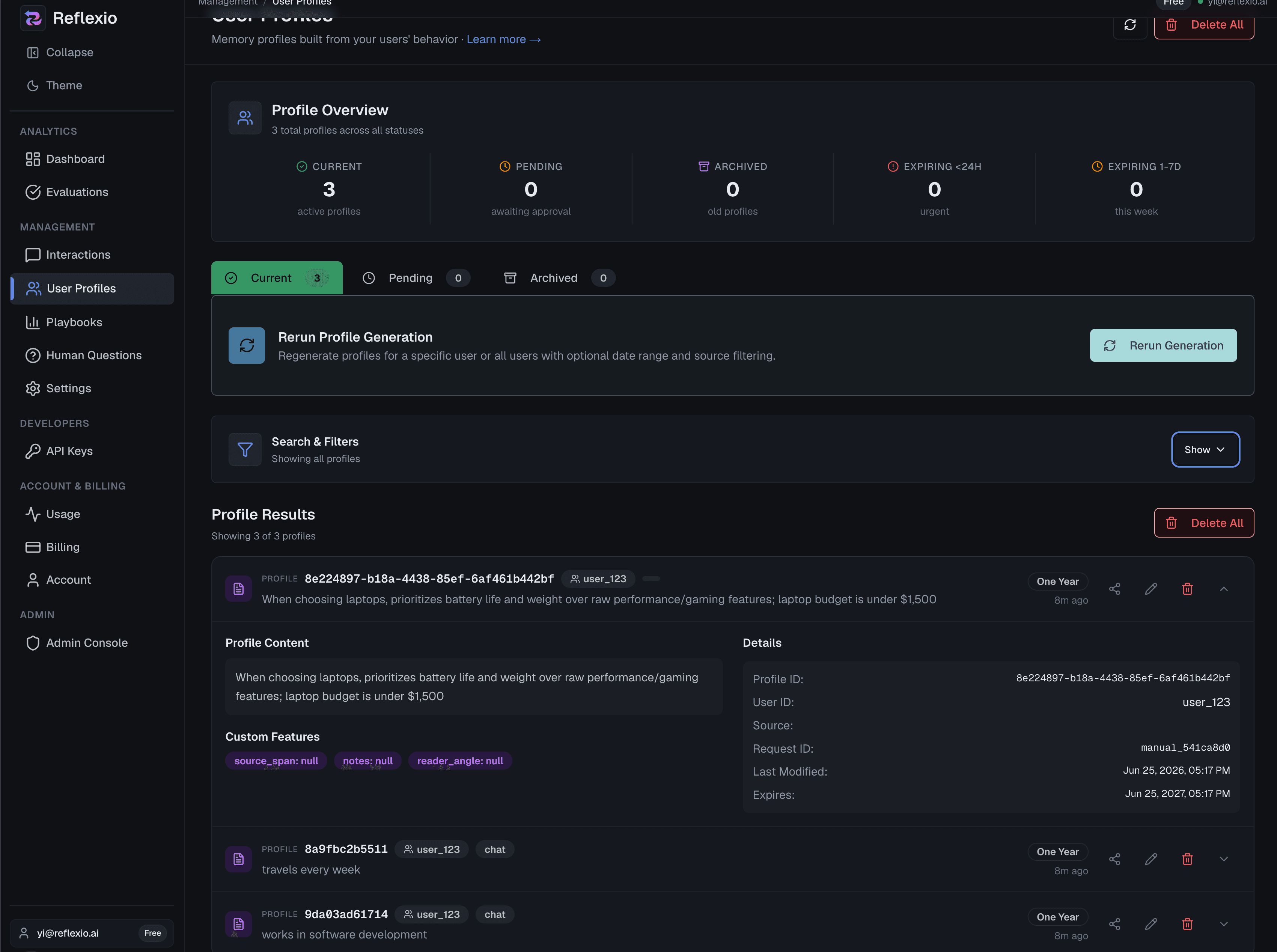
Adopting or restoring a set changes lifecycle status in bulk. Review the affected profiles and filters before confirming.
Playbooks
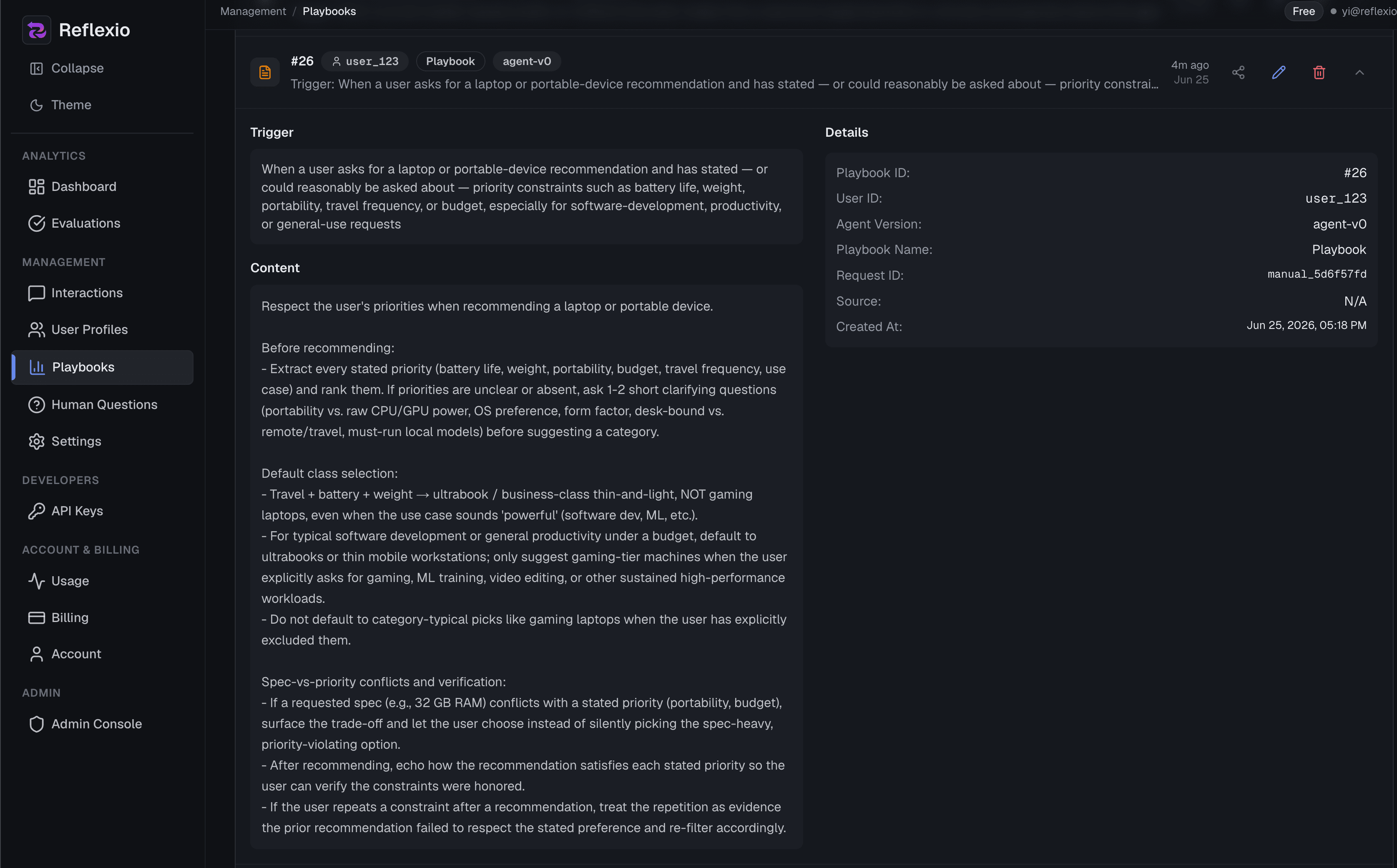
The Playbooks page has four views:
| View | Purpose |
|---|---|
| Agent | Review aggregated playbooks and approve or reject pending rules |
| Current User | Inspect active user-specific guidance and rerun generation |
| Pending User | Review and adopt regenerated user playbooks |
| Archived User | Inspect or restore archived user playbooks |
Playbooks load 50 matching records at a time. Use Load more playbooks to continue; counts and filter choices cover the full eligible dataset. Delete Filtered prepares all matching IDs, including records beyond the visible page, and shows the exact selection size before confirmation.
Run aggregation from the Agent view by providing an agent version. Agent playbooks remain pending until a reviewer approves or rejects them.
Evaluation
Use Evaluation to inspect session success, failure details, retrieved-learning evidence, and regular-versus-shadow comparisons. Filter by agent version, status, source, or time before interpreting a trend.
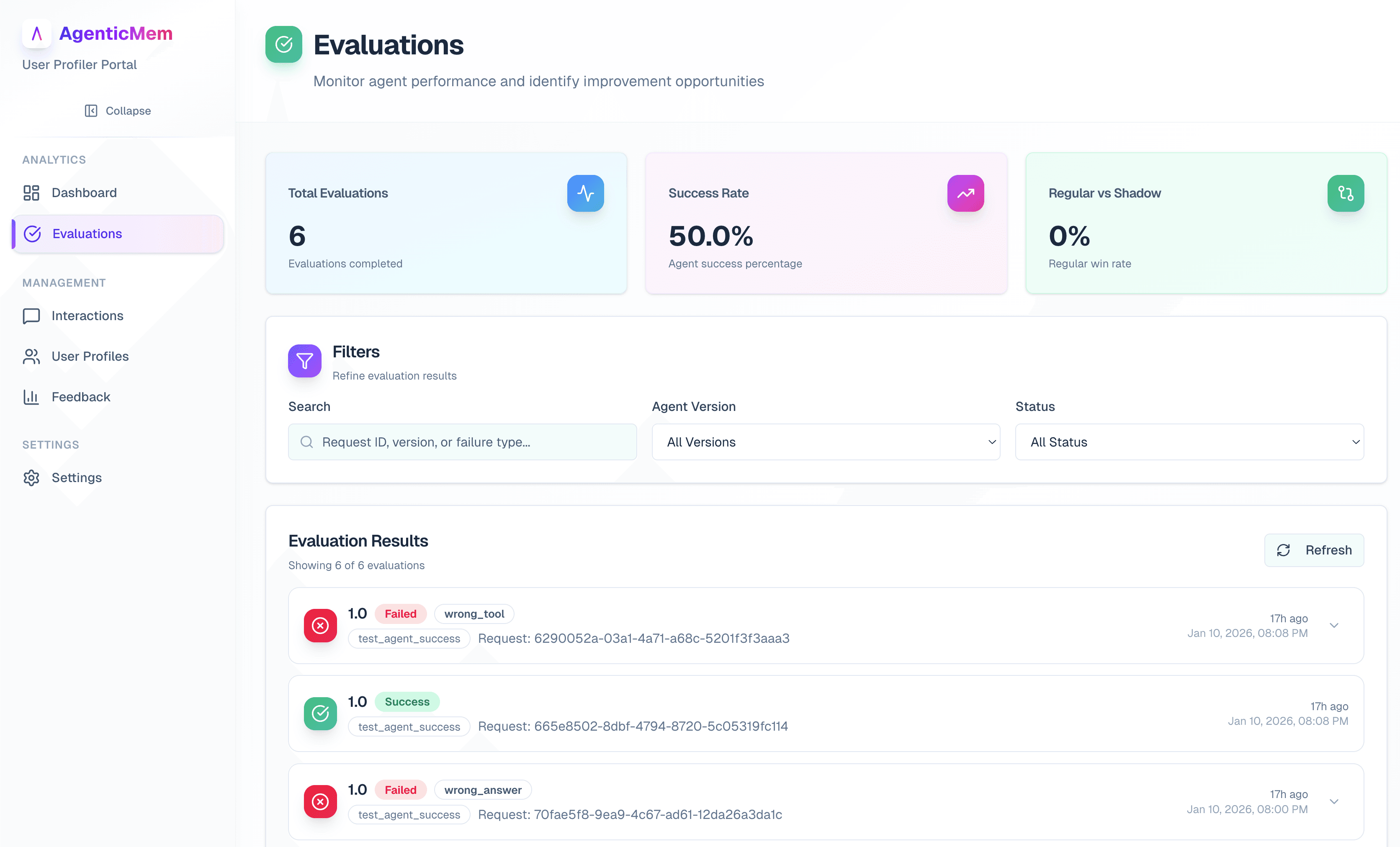
The overview and retrieved-learning evidence load independently. Each visit fetches fresh data, and a failed section can be retried separately.
See Measuring Reflexio's Impact for the required traffic and methodology contract.
Questions
The Questions page lists follow-ups that an extraction agent has routed to a human. Answer, revise, mark not applicable, or cancel a pending question. Resolved questions remain available for audit.
This page appears only when pending tool calls are enabled in configuration.
Settings
Settings is a continuous configuration document with these areas:
- General — storage, agent context, tools, and extraction windows.
- Providers — provider keys and model overrides.
- Profile extractor — profile extraction behavior and request-source controls.
- Playbook extractor — playbook extraction behavior and request-source controls.
- Agent success — success evaluation criteria and sampling.
Hosted accounts begin with managed storage. Storage choices shown in configuration are SQLite, Supabase, and PostgreSQL; availability depends on the current account and deployment configuration.
After you edit a value, use the sticky Save configuration bar to review, discard, or save the pending changes. Nested configuration objects are replaced as units, so programmatic callers should read the current config before overwriting nested fields.
Next Steps
- Projects — run more than one agent under this organization
- Advanced Portal Use — tune windows, filters, and controlled reruns
- Configuration Guide — understand the underlying settings
- API Reference — automate portal operations with the client